How to Join the Catch 1 Billion Ducks Discord
Use the official experience social icon—have Discord ready first.
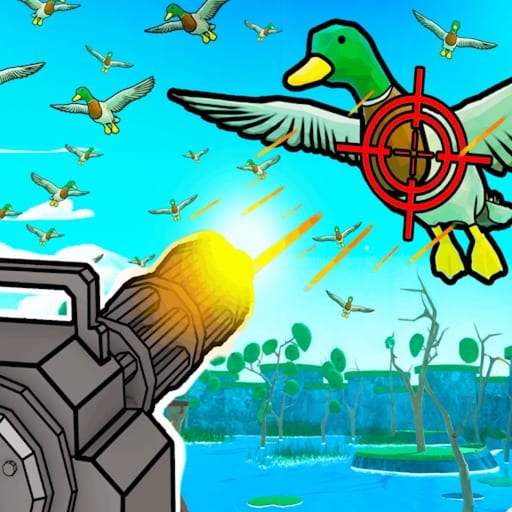
Catch 1 Billion Ducks is a living beta. Weapons, dog prices, boss timing, and codes can shift while you are mid-farm. The fastest official signal channel for many Roblox experiences is Discord linked from the game’s social icons. This guide shows the clean join path players demonstrate in tutorials and how to use the server without abandoning the in-game loop.
This is not a substitute for the wiki’s codes page or gameplay guides—it is the companion for announcements and community troubleshooting.
Step-by-step join path
- Leave your current server so you can access the Roblox experience page cleanly.
- Open Catch 1 Billion Ducks on Roblox.
- Scroll to the social or links area on the experience page.
- Click the Discord icon.
- Confirm that the Discord app or Discord in browser is already open and logged in.
- Continue through Roblox’s prompt so the invite can attach to your Discord account.
- Land in the server and check announcement or codes channels first.
If the continue prompt fails, open Discord manually, then retry the icon. Most failures are login or app-focus issues, not missing eligibility.
What to do inside the server
- Read rules so you do not mute yourself before you learn anything
- Follow announcement channels for patch notes that affect Boss Duck or shops
- Watch for code drops, then redeem them on this wiki’s Codes page workflow or the in-game redeem UI
- Ask concise questions after you have tried How to Play and Clear a Day Fast
Do not expect Discord strangers to replace structured guides for feathers, weapons, dogs, or Duckle. Use both.
Safety basics
Only join through the experience page social icon or links the creator group shares. Ignore random invite popups in public servers. Never download “free feather�?executables people paste in DMs—if you research automation at all, keep it on the wiki Scripts context and understand account risk.
How Discord fits a farming session
A healthy loop looks like this:
- Check Discord announcements (two minutes)
- Redeem new codes
- Claim Duckle if somehow still missing
- Run sell and boss routes
- Spend with Upgrade Priority and tier lists for weapons and dogs
Mobile and PC both can join; just keep Discord installed or browser-ready before tapping the icon so the handoff does not drop. Controls stay in-game; Discord is out-of-game intel.
When the icon is missing
Beta pages sometimes rearrange social buttons. Scroll the full experience description and store areas, confirm you opened the correct Catch 1 Billion Ducks place by Billion Duck Hunters, and verify you are not on a copied fan place. The review and hub pages on this wiki always point back to the real loop if you got lost—use the Guides Hub and items index to reorient.
Actually use the review path as Catch 1 Billion Ducks review.
Joining Discord takes a minute and can save an hour of outdated grinding after a patch.
Bookmark the announcement channel if your Discord client allows it. A quick glance before each long farm session is enough—then close the app, return to Roblox, and spend the real time shooting ducks instead of scrolling chat.
Why Discord still matters in beta
Catch 1 Billion Ducks is an active Roblox beta. Codes, temporary Like or Group rewards, dog drops, and balance tweaks can appear in community channels before they are obvious inside the experience. The Discord join guide exists so you do not rely on random social media screenshots.
Safety checklist before you click invites
- Prefer links surfaced from the Roblox experience or the Billion Duck Hunters group context
- Reject free Robux or account-login redirects
- Never paste executor scripts someone DMs you as a Discord exclusive without checking the Scripts page risk notes
- Cross-check code claims against the Active Codes list on this wiki
What to do after you join
Mute noisy channels if you only care about announcements. Pin or save posts about free rewards such as Duckle, then return to the hunt loop in How to Play. Discord should accelerate your information, not replace selling ducks, upgrading weapons, and clearing days.
Pair Discord with the rest of the wiki
Use official-link context on the Wiki Links page, progression help in Upgrade Priority, and honesty checks in the Review. When a Discord rumor conflicts with what you see in-game, trust the live client first, then update your personal notes after you verify the change in a real session.
Frequently Asked Questions
Quick answers to the most common questions.
How do I join the Catch 1 Billion Ducks Discord?
Open the Roblox experience page, click the Discord social icon, and continue with the Discord app or browser logged in.
Do I need to be in-game to join?
You usually leave to the experience page, then join Discord from the social link. You can return to the game afterward.
Why should I join Discord?
Beta patch notes, code alerts, and official clarifications appear there faster than random public-server chat.
Can I get codes in Discord?
Often yes when creators post them. Still verify and redeem carefully, and keep the wiki Codes page handy.
The Discord button does nothing—what now?
Launch Discord first, confirm you are logged in, retry the icon, and make sure you are on the official experience page.