Catch 1 Billion Ducks Scripts
Autofarm helpers, aim assist options, and safer executor habits for the Roblox duck hunt beta.
Why players look for Catch 1 Billion Ducks scripts
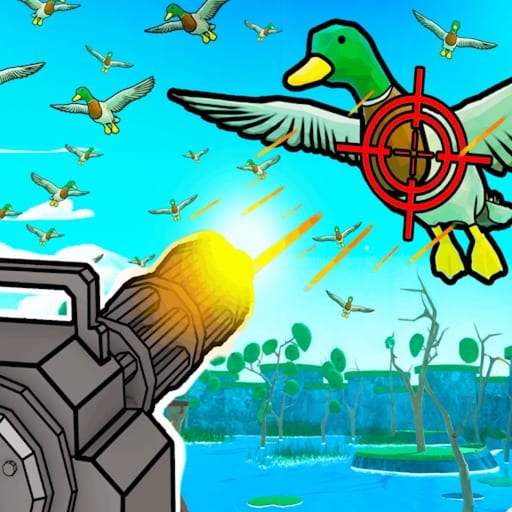
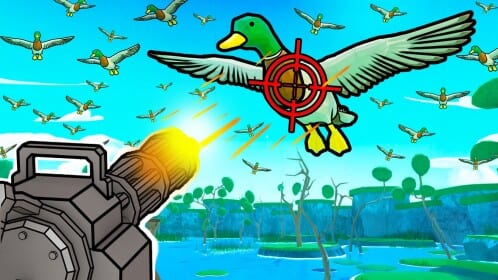
Catch 1 Billion Ducks is an incremental Roblox hunt from Billion Duck Hunters. The core loop is simple on paper: equip a weapon, prepare your dog, shoot ducks, sell the haul, then upgrade so the next round pays more. In a live beta, that loop gets repeated for long sessions, which is why many players search for scripts that reduce clicking fatigue while they test weapons, dogs, and sell timing.
This Scripts Hub explains the feature types people usually want, shares circulating loaders, and walks through general executor usage. Dedicated pages split the same topic for search: autofarm (grab, skip day, auto buy), kill aura (combat macros and boss orbit), and auto sell (freezer dumps versus Dog Dexterity). It also states the risks clearly. Scripts are never required to enjoy the game, and they always sit outside normal Roblox play. If you prefer a clean progression path, start with our duck hunting guides, redeem any active codes, and use the progress tools instead of automation.
What a typical autofarm hub tries to do
Community hubs for Catch 1 Billion Ducks often package several toggles instead of one giant “win” button. The most discussed style mirrors a compact S0ftKillz-style menu with practical hunting helpers:
- Auto Collect — picks up ducks or loot after shots so you spend less time cleaning the field.
- Auto Stock — keeps inventory or sellable stock flowing so farming sessions do not stall when bags fill.
- Aim Assist — steadies targeting so mobile or controller players can keep pace with duck movement.
- Aim Assist Speed — tunes how aggressively assist tracks targets; higher values feel snappier but can look unnatural.
- Keybinds — lets you toggle features quickly without digging through every menu frame.
Those five options cover the friction points of a shoot → collect → sell loop. They do not replace upgrades, dog prep, or good sell timing. A script that only automates clicks still depends on your current weapon tier and dog setup. For loadout advice, cross-check the guides hub and any weapon or dog lists on the site before you assume automation alone will carry progress.
Working loadstring example
Public script drops for Catch 1 Billion Ducks frequently share a single-line loader. One circulating combat-and-farm hub looks like this:
loadstring(game:HttpGet("https://raw.githubusercontent.com/joustingmatch/Ouroboros/main/loader.lua"))()A collect-and-aim style loader still circulates as:
loadstring(game:HttpGet("https://gist.githubusercontent.com/user2084375/ef0c1434dc71b6bec4349ee57b04f1b5/raw/66f8d272ceecb1117226b0c7fd72a5850403399f/gistfile1.txt"))()Paste that line into a compatible executor only after you understand the risks below. Loaders can change without notice, remote files can be edited by their hosts, and a working script today can break after a beta patch tomorrow. Treat every loadstring as temporary community tooling, not an official feature from Billion Duck Hunters.
When the menu opens, enable one feature at a time. Start with Auto Collect, confirm ducks are clearing, then test Auto Stock. Add Aim Assist last and raise Aim Assist Speed slowly until shots feel consistent. Keybinds should be remapped away from movement keys so you do not disable farming mid-fight.
Broader autofarm patterns players search for
Even when a specific hub uses different labels, the community usually hunts the same automation patterns:
- Auto Shoot — fires for you while ducks are in range so AFK windows stay productive.
- Auto Pickup — similar to Auto Collect; focuses on grabbing drops the moment they appear.
- Auto Upgrade — spends currency into the next cheap upgrade when thresholds are met.
- Auto Sell — dumps inventory at the sell point so farming does not soft-lock on a full bag.
Not every script includes all four. Some hubs stop at collect and aim helpers; others advertise full autofarm chains. Prefer menus that expose toggles instead of forced macros. Forced chains are harder to debug when the beta moves a sell NPC, changes upgrade costs, or adjusts duck spawn timing. If Auto Sell fires too early, you can miss stacking a better haul. If Auto Upgrade spends into the wrong branch, you may delay a weapon jump that would have multiplied income.
Use scripts as optional accelerators after you understand the manual loop. Our beginner-friendly guides explain the shoot, sell, and upgrade rhythm without automation. Pair that knowledge with codes for free boosts and tools for planning, then decide whether any script still makes sense for your account.
General executor steps (high level)
Executor brands change often, and this wiki will not endorse a specific client. The safe mental model is always the same:
- Close unnecessary overlays and join Catch 1 Billion Ducks on a private or quiet server if you want cleaner testing.
- Open your executor only after the experience has finished loading characters, UI, and the hunting area.
- Paste the loadstring or script body into the executor editor. Avoid mixing multiple hubs in one session.
- Attach or inject according to your executor’s normal flow, then run the script once.
- Confirm the GUI appears. Toggle a single feature, watch behavior for a minute, then expand the feature set.
- If the game updates mid-session, rejoin before assuming the script failed permanently.
If nothing happens, the remote gist may be down, the executor may be outdated, or the experience may have changed. Do not spam-run the same loader dozens of times; that usually makes debugging harder and increases the chance of stacking broken hooks.
Account risk, Roblox ToS, and no-guarantee policy
Using third-party executors and injected scripts can violate the Roblox Terms of Use. Outcomes range from nothing happening, to soft locks in the experience, to account penalties decided by Roblox—not by this wiki and not by script authors. There is no guarantee that any loadstring will work on your device, your executor build, or today’s beta build of Catch 1 Billion Ducks.
Practical risk habits:
- Prefer a secondary account if you insist on testing scripts.
- Never paste unknown scripts that ask for passwords, cookie strings, or “account verifiers.”
- Disable automation before trading, spending large amounts of Robux, or joining friends on a main account.
- Assume remote script hosts can change payloads at any time.
- Stop immediately if the client stutter-loops, teleport fails, or UI stops accepting input.
This page exists to document what the community discusses around autofarm and aim helpers. It is not a promise of unattended wealth, infinite ducks, or immunity from moderation. Legitimate progress still comes from weapons, dogs, selling discipline, and whatever free rewards you claim through codes.
When to skip scripts and play fair
Catch 1 Billion Ducks is still in beta and improving daily according to the official description. Balance passes can make yesterday’s autofarm worthless overnight. If you enjoy the dog-and-weapon fantasy, fair play is usually more stable: learn the controls, upgrade deliberately, and watch beta updates for new dogs, weapons, or events. Our honest review also covers whether the incremental loop is worth your time without automation.
Scripts make the most sense for players who already understand the economy and want to reduce repetitive clicking while testing loadouts. They make the least sense for brand-new players who have not learned when to sell, which upgrades matter, or how dog prep changes the hunt. Automation without that context just accelerates bad decisions.
Keep this hub useful as the beta moves
Because the experience changes often, treat this Scripts Hub as a living checklist rather than a permanent patch notes mirror. Feature names in menus may shift even when the underlying intent stays the same. If Auto Collect stops grabbing drops after a patch, disable it and finish the session manually. If Aim Assist overshoots after a weapon change, lower Aim Assist Speed before blaming the entire hub.
Bookmark the guides for fundamentals, codes for free redeemables, tools for planning helpers, and return here when you specifically need automation context. That split keeps legitimate strategy content easy to find while isolating higher-risk script discussion in one place.
Quick feature checklist before you enable anything
Before you leave a script running, confirm you can answer yes to each item:
- You know how to sell and upgrade manually if Auto Stock or Auto Sell misbehaves.
- You tested Aim Assist at a low speed first.
- You are not entering password-like prompts from any GUI the script opens.
- You accepted that Roblox can penalize unauthorized clients and injected code.
- You have a non-script fallback plan using guides and tools.
If any answer is no, turn the toggles off and play the hunt straight. The billion-duck goal is a long incremental climb either way; cleaner sessions are worth more than a broken first hour.
Frequently Asked Questions
Quick answers to the most common questions.
Is there a working Catch 1 Billion Ducks script right now?
Community hubs circulate loadstring loaders with Auto Collect, Auto Stock, and Aim Assist style toggles, but availability changes after beta patches. Always retest after updates and never assume permanence.
What features should a Catch 1 Billion Ducks autofarm include?
Players usually look for Auto Collect or Auto Pickup, Auto Stock or Auto Sell, Aim Assist with a speed slider, keybinds, and sometimes Auto Shoot or Auto Upgrade. Exact menu names vary by hub.
Can scripts get my Roblox account banned?
Yes. Executors and injected scripts can violate Roblox Terms of Use. This wiki gives no guarantee of safety. Prefer a secondary account and avoid pasting unknown payloads.
Do I need a script to progress in Catch 1 Billion Ducks?
No. The game is built around shooting, selling, and upgrading with your dog and weapons. Guides, codes, and tools cover legitimate progress without automation.
Why did my script stop working after an update?
Catch 1 Billion Ducks is in active beta. Spawn timing, UI, and sell flow can change daily, which breaks hooks. Rejoin, update the loader if a new one exists, or finish the session manually.
Where should I go next if I skip scripts?
Read the guides hub for the hunt loop, redeem codes for free rewards, and check tools for planning helpers. Updates and the review page help you track beta changes and expectations.